oklch() colors
OCT 12, 2025 • 3 MIN. READ •
I've just migrated this blog you're reading from remix to react-router-7
and I was refactoring and cleaning up my codebase. I went to copy some color codes from TailwindCSS
and noticed that TailwindCSS is now using this new default color format oklch()
instead of hex or rgb.
I was like, wait a minute! What is oklch()? So I did some digging and I'm writing here my findings and let me share
with you why I'm switching to oklch() colors.
What is oklch()?
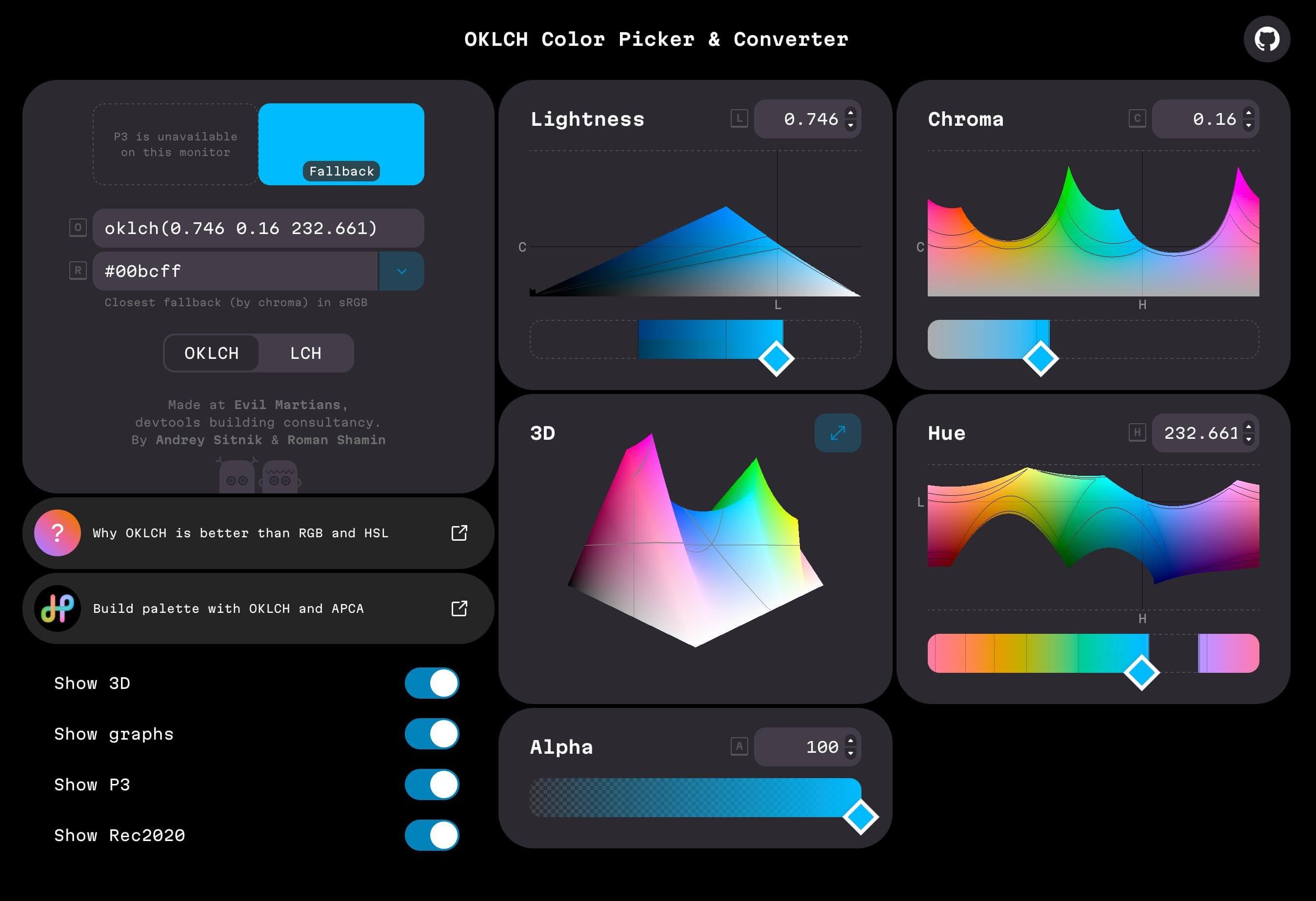
oklch() is a new color space, a new notation, a new way to define colors. oklch() (absolute color) is written
in the form of oklch(L C H [ / A ]) where:
Lis the perceived lightness, the consistent lightness for our eyes from0to100(Or0%to100%)Cis the chroma, color saturationHis the hue, the angle from0to360- Optional
Ais the alpha, opacity from0to1(Or0%to100%)
Example:
:root {
	--primary-color: oklch(74.6% 0.16 232.661);
	--secondary-color: oklch(86.06% 0.1731 91.94);
}
oklch() also allows defining relative colors based on existing colors as well.
Relative syntax is written in the form of oklch(from <color> L C H [ / A ]) where:
from <color>is the color to use as the base, could be inhex,rgb,hsl, or any other color formatL,C,HandAare the same as in the absoluteoklch()
Example:
:root {
	--primary-color: #00bcff;
	/* Adapt lightness by 10% */
	--primary-lighter: oklch(from var(--primary) calc(l + 0.1) c h);
	--secondary-color: hsl(47.95 96% 53%);
	/* Adapt lightness by 20% */
	--secondary-lighter: oklch(from var(--secondary) calc(l + 0.2) c h);
}
I've been using hex a lot since it's straightforward and easy to use. One code for one color.
Until I tried refining my design system, it's not so great when I want to find a color that has a good contrast so that
it's easy to read.
That oklch() allows adapting the existing color is great which means I'm not really changing any color, just the lightness for example.
The color still works well within the design system. This solves one of my biggest pain points working with hex.
Benefits of oklch()
Here are the benefits of oklch():
- Human readable, you can sense the presentation of the color easier than formats like
hexorrgb. - Predictable lightness (better a11y) as
oklch()is perceptually uniform, so colors are much more accurate in terms of how humans perceive them. - Better color modification allowing designers to define formulas to automatically generate design system palette.
- It could be used for wide-gamut, wider range of colors (Such as P3 colors only available in modern devices).
Conclusion
In short, oklch() is a better color space for modern design systems. It's designed for the future of modern coloring.
So that's it, oklch() is the default color format I'm using in this and my other projects onwards.
Further reading: